
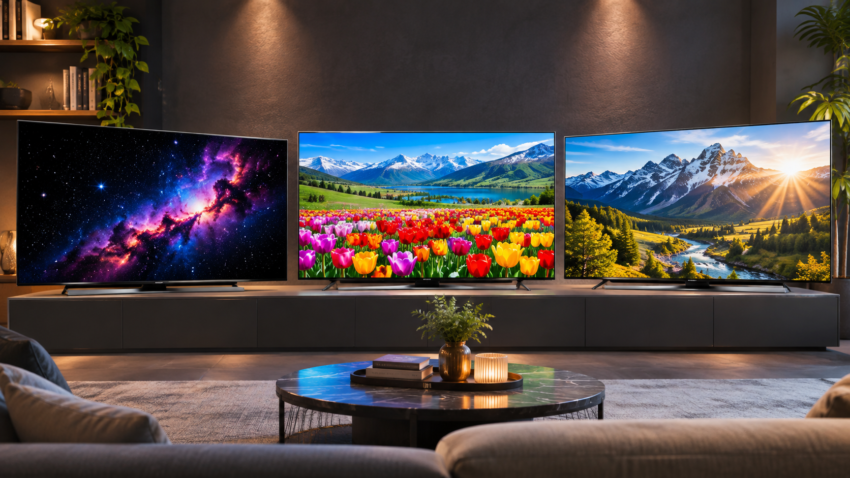
Walk into any TV showroom, and three labels compete for your attention: OLED, QLED and Mini LED TV. The names sound like rival versions of the same thing, yet each describes a different part of the television, and a spec sheet rarely explains which one suits your room.
That matters because the right choice depends less on which technology is “best” and more on your lighting, your content and your budget. A TV that looks superb in a dark home theatre can disappoint in a sunlit hall. This guide explains how each technology works, compares them on what buyers actually notice, and ends with clear recommendations for different households.
Quick Comparison Summary
- OLED: Best blacks, contrast, and viewing angles. Suits movies in dim rooms. Watch for static on-screen content and, on mid-range models, lower brightness.
- QLED (conventional): An LCD TV with a quantum-dot colour layer. Often the most affordable route to a large, colourful screen. Contrast is its weak spot.
- Mini-LED: An LCD TV with a much finer backlight. Usually the brightest, strong for HDR, and free of burn-in. Some glow around bright objects can remain.
One caveat applies to everything below: models vary widely. A good mid-range set can beat a weak premium one, whatever the label says.
Understanding Different TV Display Technologies
LED/LCD TVs: the starting point
Most TVs sold today are LCD TVs. The liquid-crystal layer does not make light. An LED backlight shines through it, and colour filters turn that light into the picture. Every technology below either improves the backlight, improves the colour, or removes the backlight altogether.
QLED: quantum dots on an LCD
QLED adds a layer of quantum dots to an LCD TV, which makes colours richer. It is still an LCD with a backlight. Brands label it differently: Samsung uses QLED and Neo QLED, LG uses QNED, and other manufacturers use QLED or similar names.
OLED: every pixel makes its own light
In an OLED panel each pixel is self-emissive. It lights itself and can switch off completely, so there is no backlight. You will see three variants in reviews:
- WOLED: white OLED pixels with colour filters, the most common type.
- QD-OLED: Samsung’s hybrid, which adds quantum dots to the pixel layer so light does not pass through a filter.
- Tandem OLED: newer stacked-layer designs aimed at higher brightness.
Mini-LED: a better backlight, not a new pixel
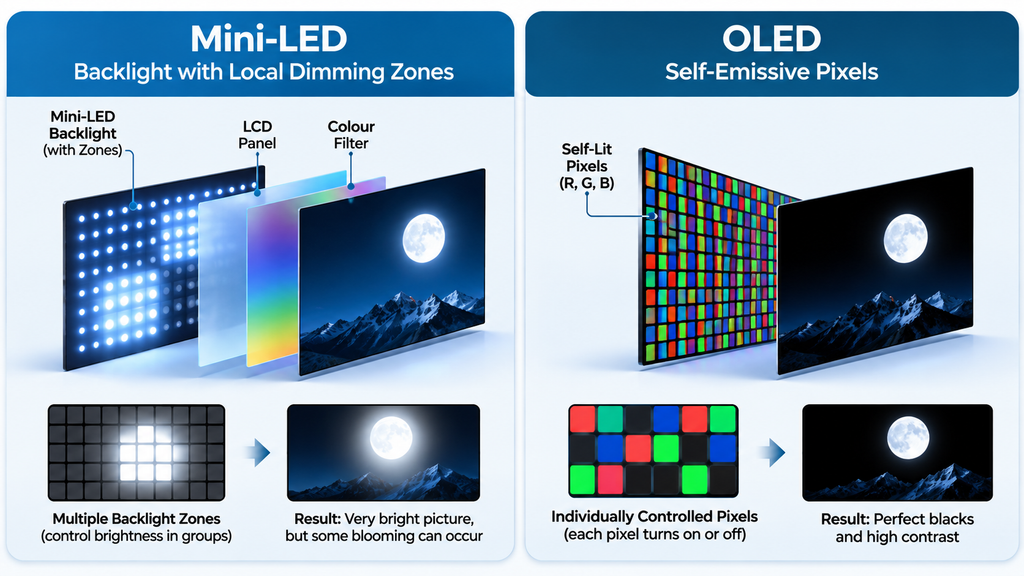
Mini-LED describes the backlight. Much smaller LEDs allow far more dimming zones, so the TV can darken one part of the picture while lighting another. Mini-LED sets are LCDs, and most also use quantum dots. Samsung’s Neo QLED and LG’s QNED Mini-LED models are therefore both “QLED-type” and “Mini-LED” at once.
The zone count is the difference that matters. A high-end Mini-LED set may have well over a thousand zones. An OLED has one per pixel, which on a 4K screen means more than eight million.
Technical distinction: OLED is a pixel technology. QLED is a colour layer on an LCD. Mini-LED is a backlight for an LCD. In this guide, “QLED” means a conventional quantum-dot LCD without a Mini-LED backlight, and “Mini-LED” means an LCD with one.
Two newer terms cause confusion. RGB Mini-LED and Micro RGB, found on 2026 models such as the Sony Bravia 9 II and LG’s Micro RGB evo range, are refined LCD backlights. MicroLED is a different, self-emissive technology that remains very expensive and is not a mainstream purchase.
OLED vs QLED vs Mini-LED – Key Differences
| Feature | OLED | QLED (conventional) | Mini-LED |
| Display technology | Self-emissive pixels | LCD + quantum dots, standard LED backlight | LCD + (usually) quantum dots, Mini-LED backlight |
| Black levels and contrast | Best; pixels switch fully off | Weakest of the three | Strong on good sets; some blooming |
| Brightness | Good on premium models, more limited on mid-range | Good to high | Typically highest |
| Colour reproduction | Accurate, rich | Vivid | Vivid, holds up in bright scenes |
| Viewing angles | Best | Narrower | Narrower; varies by panel |
| HDR performance | Contrast-led, excellent in dim rooms | Basic to good | Strong highlights, best with many zones |
| Gaming performance | Very fast pixel response; features vary by model | Features vary by model | Features vary by model |
| Burn-in risk | Low but real with static content | None | None |
| Room lighting | Best in dim or dark rooms | Fine in bright rooms | Best in bright rooms |
| Price considerations | Usually premium | Often the lowest at a given size | Wide range, mid to premium |
Read the table as typical behaviour, not a guarantee. Dimming-zone count, processor and screen coating can move any row.
Picture Quality – Which Technology Looks Better?
Contrast and blacks. OLED leads. Because each pixel can switch off, a night sky with white subtitles stays clean. On a backlit TV, bright objects on a dark background can show blooming, a faint glow around a candle flame or a streetlight. Mini-LED reduces this with more zones but does not remove it. Conventional QLED shows it most.
Brightness and HDR. LCD-based sets generally reach higher peak brightness, which gives HDR highlights such as sunlight on water more punch. Premium OLEDs using QD-OLED or tandem designs have narrowed the gap, but many mainstream OLEDs hold brightness back to limit burn-in risk. In short, OLED wins on contrast and Mini-LED wins on highlight intensity.
Colour. All three can look excellent. Quantum dots give QLED and Mini-LED vivid colour, while OLED is prized for accuracy. Processing and factory calibration matter as much as panel type: the same OLED panel can look different in different brands’ TVs.
Reflections. Brightness helps a TV push through glare, but screen coatings matter too. LG, for example, lists a reflection-reducing screen on its 2026 C6 and G6 OLEDs. If a window faces the screen, check how the specific model handles reflections.
Viewing angles. OLED keeps colour and contrast when you sit off to one side. LCD panels can lose saturation and black depth at an angle, which matters in wide living rooms where people sit on both ends of a sofa.
Which TV Is Better for Different Viewing Conditions?
Bright living rooms
Mini-LED has the edge, with conventional QLED a budget alternative. Both go brighter than most OLEDs. A premium, high-brightness OLED can work if you can control daylight with curtains.
Dark home theatre rooms
OLED. With the lights off, its blacks and contrast are the clearest advantage any of these technologies has.
Movies and streaming
OLED for dim-room film watching. Mini-LED if you watch in mixed light or want stronger HDR highlights. Check that the TV supports the HDR formats your streaming apps use, such as Dolby Vision.
Sports and live television
Daytime matches favour a bright Mini-LED. Evening viewing suits OLED well. If you leave news channels with fixed tickers on for hours, read the burn-in section below.
Console and PC gaming
Either technology works when the specific model has the right features. See the gaming section.
Everyday family viewing
For long, mixed-use days in a room with changing light, Mini-LED or QLED is the lower-maintenance choice. OLED suits families whose viewing is varied and mostly in the evening.
OLED vs QLED vs Mini-LED for Gaming
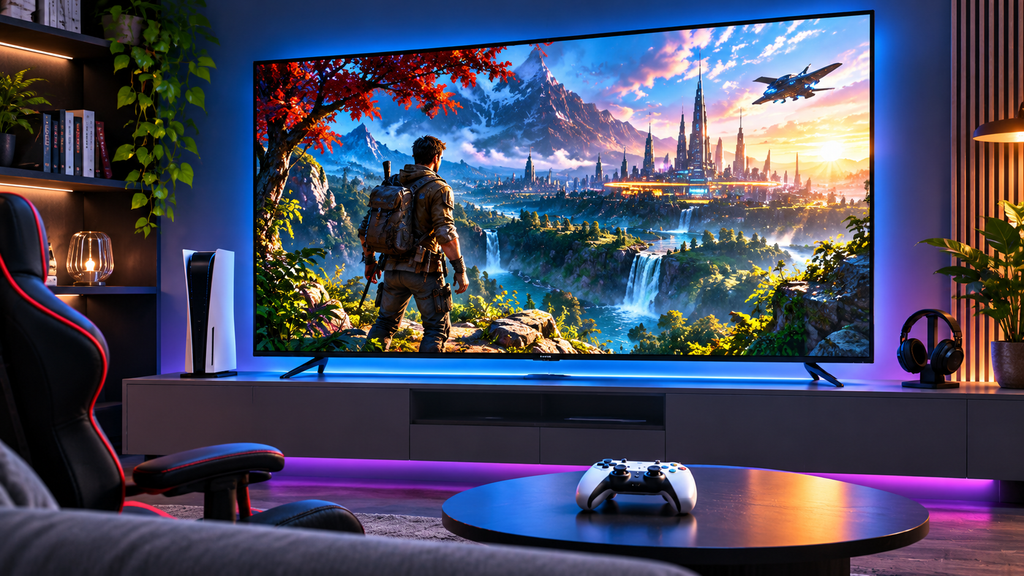
Display type does not decide gaming quality on its own. The individual model does. OLED pixels switch quickly, so motion tends to look cleaner, but many Mini-LED and QLED sets also deliver excellent gaming. Reviewers commonly measure input lag under 10ms in game mode on good TVs of both kinds.
Check these features on the exact model you plan to buy:
- Refresh rate: native 120Hz is the practical minimum for 4K console gaming. Some 2026 sets go to 144Hz or 165Hz for PC use.
- HDMI 2.1: needed for 4K at 120Hz. Some TVs have fewer HDMI 2.1 ports than total HDMI ports, so count them if you have a console, PC and soundbar.
- VRR (variable refresh rate): removes screen tearing.
- ALLM (auto low latency mode): switches the TV to its fastest mode when it detects a console.
- Input lag: the delay between a button press and the screen. It is not the same as panel response time, so look for independent measurements.
Samsung India lists FreeSync Premium, ALLM and VRR on both its Neo QLED (Mini-LED) and OLED ranges, which shows the features follow the model, not the panel type.
If you game in a dark room, OLED’s blacks help. If you game in daylight, a bright Mini-LED is easier to see. Gamers with fixed HUD elements for many hours should also weigh OLED’s burn-in risk.
OLED Burn-In, Lifespan and Long-Term Reliability
What burn-in is. Burn-in is a permanent faint image left by static content, such as a channel logo or game HUD, shown for a very long time. It differs from image retention, which is temporary and fades. Normal ageing is gradual and affects every display type.
What testing shows. RTINGS, which runs accelerated long-term tests, found that static content can burn into OLED TVs. Its extreme tests run TVs at high brightness on fixed content, which is not typical home use. RTINGS concludes that burn-in is unlikely to become an issue for most people who watch mixed content. Its 2026 update adds a caution: burn-in resistance has not clearly improved, and newer OLEDs are much brighter, so lowering brightness is a risk-reduction step, though not a guarantee.
Reliability is not only an OLED question. In RTINGS’ three-year test of 102 TVs, most sets survived, and OLEDs had fewer failures than LCDs. Edge-lit LCDs showed more backlight uniformity problems than full-array or direct-lit ones. That test ran sets at maximum brightness, so treat it as a stress test rather than a lifespan promise.
What manufacturers do. Modern OLEDs use pixel shifting, automatic logo dimming and refresh routines when the TV is off. QLED and Mini-LED TVs have no burn-in risk, though their backlights can age.
Ownership tips.
- Vary content, or lower brightness for long static sessions.
- Use the TV’s built-in care features and leave it on standby so maintenance routines can run.
- Check the panel warranty separately from the product warranty. LG’s India launch coverage lists a three-year panel warranty on its C6 and G6 OLEDs.
No honest source can give an exact lifespan in years for your use, so be wary of any that does.
Which TV Technology Offers Better Value in India?
No technology is always cheaper. Price depends on brand, screen size, processor, HDR support and which sales cycle you buy in. Even so, 2026 listings show a pattern.
- OLED is generally at the premium end. LG’s 2026 India launch listed its OLED evo C6 from ₹1,19,990.
- Mini-LED now spans a wide range. The same LG launch listed QNED Mini-LED sets from ₹52,990, and Indian roundups in 2026 list Mini-LED TVs from the low ₹50,000s.
- Conventional QLED often costs less than either at a given size, though not always, because a large QLED from one brand can cost more than a smaller Mini-LED from another.
These are launch or dated listing figures, so confirm the current price on the retailer page before you buy.
What else to check before paying:
- Screen size: a bigger TV in a good panel often beats a smaller premium one. Mini-LED is typically the easier route to very large screens.
- Panel and processor: the processor shapes upscaling and motion, which matters for broadcast and streaming content.
- HDR support: look for the formats you use, such as Dolby Vision or HDR10+.
- Warranty: compare the product warranty and panel warranty separately.
- After-sales service: confirm that the brand has a service centre in your city.
Display quality is an important consideration when purchasing any screen-based device. Our guide on common laptop buying mistakes also explains why brightness, panel type and screen quality should not be overlooked.
OLED vs QLED vs Mini-LED – Which One Should You Buy?
Movie and OTT enthusiasts: Choose OLED if you watch mostly in dim rooms. Choose Mini-LED if your room has daylight and HDR highlights matter more to you than perfect blacks.
Families with bright living rooms: Choose Mini-LED, or a good conventional QLED on a tighter budget. Skip OLED unless you are buying a high-brightness premium model.
Gaming enthusiasts: Choose by room and features. OLED suits dark rooms and fast motion. Mini-LED suits bright rooms and long sessions with static HUDs. Confirm 4K/120Hz, VRR, ALLM and the number of HDMI 2.1 ports either way.
Budget-conscious buyers: Start with Mini-LED or QLED. Both give you size and brightness for the money, and neither has burn-in risk. Stay with QLED if you value screen size over deep blacks. Move to Mini-LED if your budget stretches and you watch lots of HDR.
Premium television buyers: OLED is the strongest option for picture quality in controlled lighting. A high-zone Mini-LED is the stronger option if your room is bright or your TV is very large.
The honest rule: pick the technology that matches your room first, then the best individual model you can afford.
Frequently Asked Questions
1. Is OLED better than QLED?
For contrast, blacks and viewing angles, yes. For brightness, price, and bright-room use, QLED often comes out ahead. Neither is better in every situation.
2. Is Mini-LED better than OLED?
Mini-LED is brighter and has no burn-in risk. OLED has deeper blacks and cleaner contrast. Mini-LED is the stronger pick for bright rooms, OLED for dark ones.
3. Which TV is best for a bright room?
Mini-LED, followed by conventional QLED. Both generally reach higher brightness than most OLEDs, which helps against window glare.
4. Does OLED TV have burn-in problems?
Burn-in is possible, mainly with static content shown for very long periods. Long-term testing suggests it is unlikely for most mixed viewing, and modern OLEDs include protective features. Lower brightness and varied content reduce the risk.
5. Is QLED better for gaming?
Not inherently. Gaming quality depends on refresh rate, HDMI 2.1, VRR, ALLM and input lag on the specific model. OLED has faster pixel response, while QLED and Mini-LED can be brighter in daylight.
6. Is Mini-LED worth the extra money?
Often, if you want better contrast and HDR than a conventional QLED offers and you watch in a bright room. If you mostly watch in the dark, spend toward an OLED instead.
7. Which TV technology lasts longer?
No technology has a guaranteed lifespan. Testing shows most TVs survive years of heavy use, and OLEDs held up well against LCDs in one three-year stress test. Check the warranty, especially the panel warranty.
8. Which display technology should I choose in 2026?
Match it to your room. Choose OLED for dim rooms and movies, Mini-LED for bright rooms and HDR, and conventional QLED for the best size per rupee.

Harry S is a digital marketing expert with 19+ years of experience. He created Reviews-4u.com to share simple, research-backed product insights that help users make better buying decisions.