
Buying a MacBook today can feel a bit overwhelming. There are multiple options, different price ranges, and plenty of opinions online. But when it comes down to it, most people are trying to answer one simple question:
Which MacBook is right for my work and my budget?
Instead of going deep into technical specifications, this guide keeps things practical. It focuses on how each MacBook fits into real-life usage so you can make a confident decision.
Understanding the Three MacBook Options
To simplify things, you can look at the lineup like this:
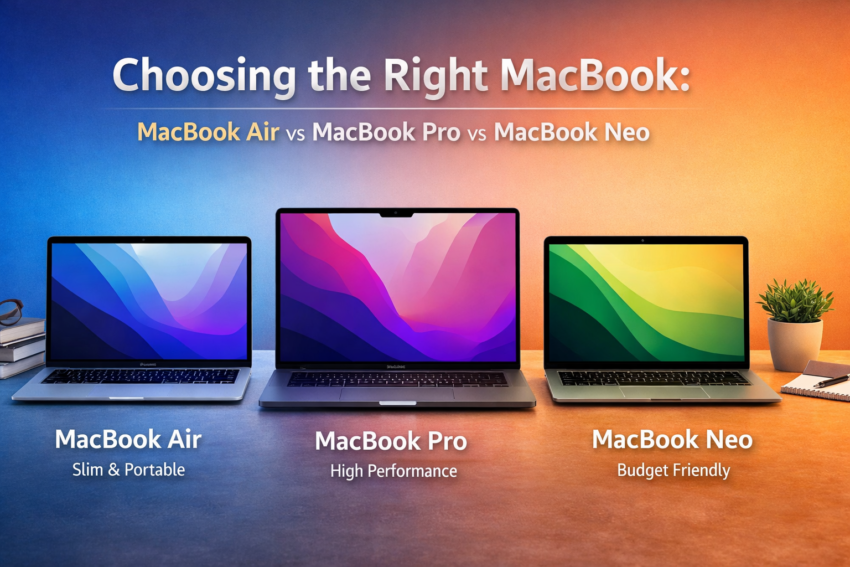
- MacBook Air → Everyday performance with a lightweight design
- MacBook Pro → Built for heavy work and demanding tasks
- MacBook Neo → Budget-friendly option for basic usage
Each of these serves a different purpose. The goal is not to pick the most powerful one, but the one that matches your daily needs.
What Really Sets Them Apart?
Performance (How Much Power Do You Actually Need?)
- MacBook Air handles regular work comfortably. Browsing, documents, video calls, light editing — all smooth.
- MacBook Pro is made for more demanding tasks like video editing, coding, design software, and multitasking at scale.
- MacBook Neo is expected to cover basic needs like web browsing, emails, and simple applications.
If your work involves heavy software or long hours of processing, performance becomes a deciding factor.
Portability
- MacBook Air is the easiest to carry. Slim, light, and travel-friendly.
- MacBook Pro is slightly heavier but still manageable for daily use.
- MacBook Neo is likely to follow a compact and simple design.
If you move around a lot — office, home, travel — this matters more than most people think.
Battery Life
- MacBook Air offers reliable battery for a full workday.
- MacBook Pro is designed for extended usage, especially under heavy workloads.
- MacBook Neo should comfortably support light usage through the day.
Battery life is not just about hours — it’s about not worrying about charging constantly.
Pricing
Let’s be honest — budget plays a big role and most of the decisions are made at the pricing section.
- MacBook Neo → Most affordable way to enter the Apple ecosystem
- MacBook Air → Balanced pricing with strong value
- MacBook Pro → Premium pricing for performance
The key is to avoid overpaying for features you won’t use.
Which MacBook Fits Your Profession?
This is where the decision becomes clearer. Instead of thinking about models, think about your work.
Students
Best fit: MacBook Air or MacBook Neo
Students typically need a laptop for:
- Assignments
- Online classes
- Research
- Basic software
The Air gives a smooth experience, while the Neo can work if budget is tight.
Freelancers
Best fit: MacBook Air
Freelancers often juggle multiple tasks — emails, tools, meetings, content work. The Air offers a good balance of performance and cost without feeling limiting.
Graphic Designers & Video Editors
Best fit: MacBook Pro
This is where performance matters the most.
Design tools, editing software, and rendering tasks require:
- Faster processing
- Better handling of large files
- Consistent performance
The Pro is built for this kind of workload.
Developers
- Beginners → MacBook Air
- Advanced / heavy development → MacBook Pro
If you’re working on light coding or learning, Air is more than enough. For large projects, multiple environments, or heavy builds, Pro becomes a better choice.
Business Owners & Office Work
Best fit: MacBook Air
Most business tasks include:
- Emails
- Documents
- Meetings
- CRM tools
There’s no real need to invest in a Pro unless your work demands it.
Content Creators
Best fit: MacBook Pro
If your work involves:
- Video editing
- High-quality content production
- Rendering
Then Pro saves time and improves workflow efficiency.
The Affordability Perspective
Many people assume that buying the most expensive option is the safest choice. That’s not always true.
A better way to think about it:
- If your work is basic to moderate, the MacBook Air already covers everything you need
- If your work is heavy and performance-driven, the MacBook Pro becomes a useful investment
- If your budget is limited and your usage is light, the MacBook Neo offers a starting point
Spending more only makes sense when it actually improves your daily work.
A Simple Way to Decide
If you’re still unsure, use this quick guide:
- Go for MacBook Air if you want a smooth, reliable laptop for everyday use
- Choose MacBook Pro if your work depends on performance and speed
- Pick MacBook Neo if you want an affordable entry option for basic tasks
Final Thoughts
There is no single “best” MacBook for everyone.
The right choice depends on:
- What you do every day
- How long you plan to use the device
- How much you want to spend
Once you focus on these three things, the decision becomes much simpler.
In the end, a MacBook should make your work easier — not just look good on paper.