
Between one browser tab for research, another for lecture notes, a third for the assignment draft, and a fourth for tomorrow’s presentation, most students in India run the same apps daily. AI tools can cut that workload, but the market is crowded, and not every tool marketed to students is actually built for coursework.
This guide covers the Best AI tools for students that are worth knowing in 2026 for writing, research, note-taking, presentations, and exam prep, what each costs in India, where it’s genuinely useful, and where it falls short. Pricing is accurate as of July 2026; global platforms change prices often, so treat these figures as a close guide and check the app before paying.
Quick Comparison Table
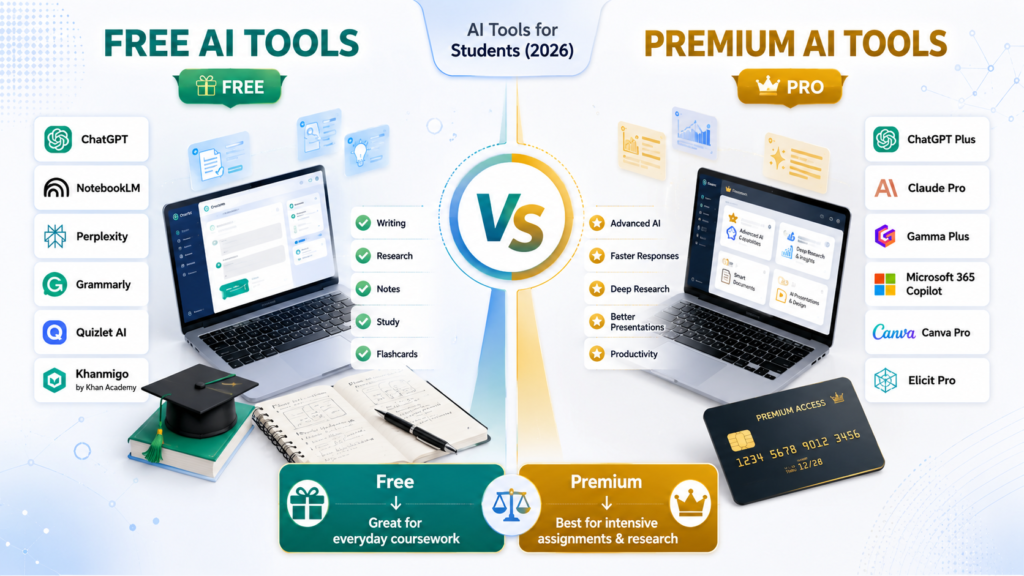
| Tool | Best For | Free Plan | Platform | Reviews-4U Rating |
| ChatGPT | All-round writing, research, coding help | Yes | Web, iOS, Android | 4.5/5 |
| Claude | Long-form writing, document analysis | Yes | Web, iOS, Android | 4.3/5 |
| Grammarly | Grammar, tone, and clarity editing | Yes | Browser, desktop, mobile | 4.2/5 |
| Microsoft Copilot | Office-integrated AI (Word, Excel, PPT) | Yes | Web, Windows, Microsoft 365 | 3.8/5 |
| Perplexity | Cited, source-backed research | Yes | Web, iOS, Android | 4.4/5 |
| Elicit | Systematic literature review | Yes | Web | 4.0/5 |
| Consensus | Quick evidence-based answers | Yes | Web | 4.1/5 |
| NotebookLM | Source-grounded notes and summaries | Yes | Web, iOS, Android | 4.6/5 |
| Notion AI | Workspace notes with AI search | Limited | Web, desktop, mobile | 3.6/5 |
| Otter.ai | Lecture and meeting transcription | Yes | Web, iOS, Android | 3.9/5 |
| Gamma | AI-generated presentations | Yes | Web | 4.4/5 |
| Canva Magic Design | Design-first presentations | Yes | Web, desktop, mobile | 4.0/5 |
| Beautiful.ai | Polished business-style decks | Trial only | Web | 3.7/5 |
| Quizlet AI | Flashcards and practice quizzes | Yes | Web, iOS, Android | 4.2/5 |
| StudyFetch | AI tutor on your own course material | Yes | Web, iOS, Android | 4.0/5 |
| Khan Academy / Khanmigo | Concept explanations, guided tutoring | Yes | Web, iOS, Android | 4.5/5 |
Best AI Writing Tools
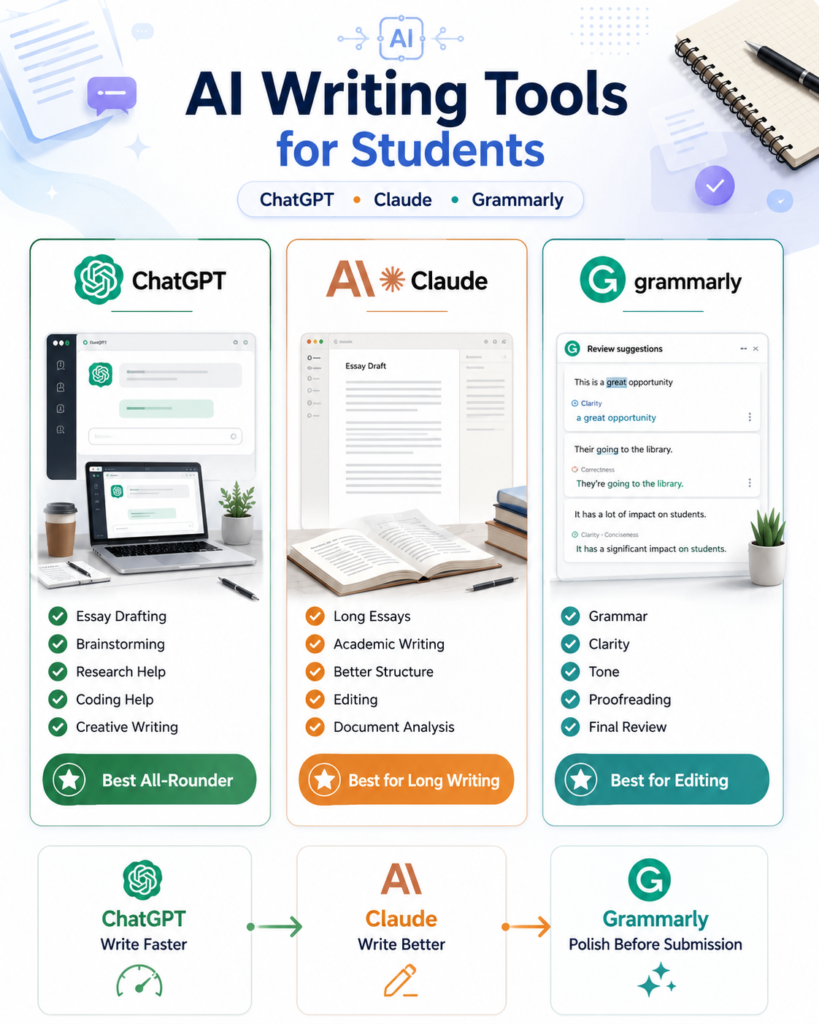
ChatGPT remains the broadest all-rounder. Its Plus plan (₹1,999/month, roughly $20) adds Deep Research, image and file handling, and an Agent mode that can complete multi-step tasks. Pros: wide feature set, strong plugin and app ecosystem. Cons: the tier structure (Free, Go, Plus, Pro) gets confusing, and heavier use pushes you toward Plus quickly. Best for: students who want one tool for writing, research, and quick coding help.
Claude is built around careful, well-reasoned long-form writing and handling large documents — useful for turning a messy set of notes or a lengthy PDF into a structured draft. Claude Pro costs ₹2,000/month in India (Anthropic introduced local rupee pricing in July 2026), and includes Claude’s current model lineup plus a workspace feature called Projects for organising course material. Pros: strong at editing and restructuring long text, generous free tier for occasional use. Cons: no built-in image generation, smaller third-party app ecosystem than ChatGPT. Best for: dissertation chapters, long essays, and case-study write-ups.
Grammarly isn’t a drafting tool; it’s a polishing one. The free tier catches grammar, spelling, and clarity issues. Pro (around $12/month annually) adds tone detection, plagiarism checks, and AI rewrites. Pros: works inside Word, Gmail, and browsers everywhere you type. Cons: no official student discount. Best for: final-pass editing before submission.
Microsoft Copilot is genuinely useful only if you’re already inside Microsoft 365. Microsoft retired standalone Copilot Pro in late 2025; consumer AI now bundles into Microsoft 365 Premium (around $19.99/month), including Copilot inside Word, Excel, and PowerPoint. A basic, non-integrated version stays free. Pros: deeply embedded in Office apps most Indian colleges already use. Cons: the free version doesn’t touch your documents. Best for: students who live in Word and Excel daily.
Best AI Research Tools
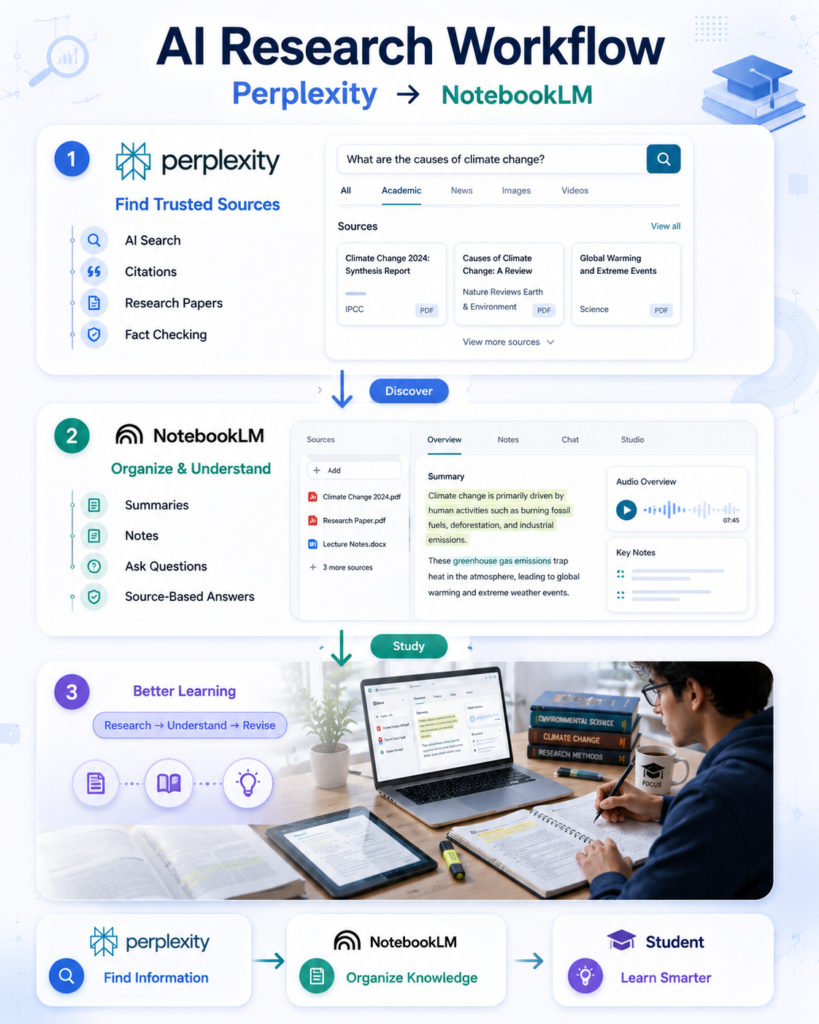
Perplexity answers questions with cited sources rather than a wall of unlinked text, which makes it far easier to trace a claim back to where it came from. Pro costs $20/month, but verified students get Education Pro at roughly $10/month through SheerID, unlocking more citations per answer and unlimited image uploads. Pros: citation-first design suits academic work. Cons: free tier caps daily Pro Searches. Best for: quick, sourced fact-checking during research.
Elicit is built for systematic literature reviews, extracting data across dozens of papers into structured tables. The free tier covers casual use; Pro tiers (roughly $10–49/month) suit a genuine thesis project. Pros: purpose-built extraction workflow. Cons: overkill for a quick answer. Best for: postgraduate and research students running formal reviews.
Consensus searches peer-reviewed papers and shows a “Consensus Meter” indicating scientific agreement on a claim. The free tier includes limited monthly analyses; Pro runs about $9–10/month, with roughly 40% off for students. Pros: faster than Elicit for a directional answer. Cons: lighter on formal review tooling. Best for: verifying a claim before citing it.
NotebookLM, Google’s free research and notes tool, lets you upload lecture slides, PDFs, and readings, then chat with them, generate summaries, and create audio or video overviews. The free tier (100 notebooks, 50 sources each, 50 daily chats) is genuinely generous. Paid tiers now bundle into Google AI subscriptions (Plus at $7.99/month, Pro at $19.99/month). Pros: answers stay grounded in your uploaded sources, reducing hallucinated citations. Cons: everything processes on Google’s servers, so it’s not ideal for sensitive material. Best for: turning a semester’s readings into a searchable, source-linked notebook.
Best AI Note-Taking Tools
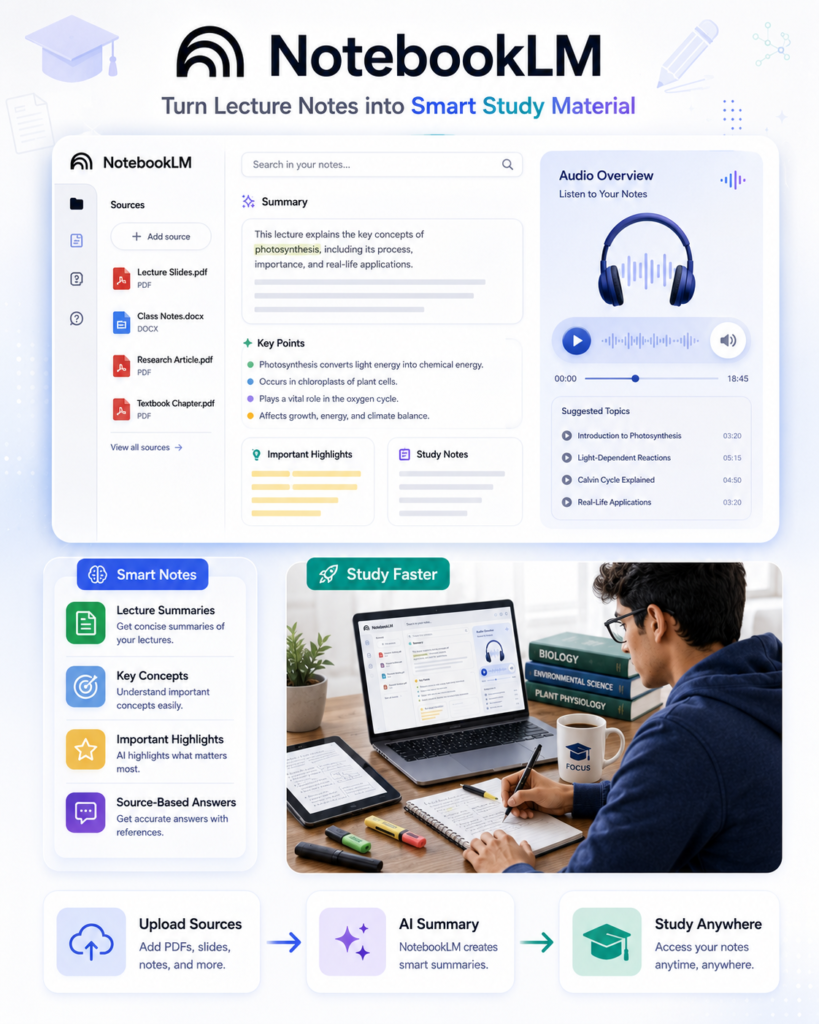
NotebookLM doubles as the strongest note-taking pick too — see above.
Notion AI works well if you already organise coursework in Notion databases, but the full AI suite moved behind the pricier Business plan (₹1,700–2,000/user/month) in 2025; Free and Plus users get only a limited trial. Students get the free Education plan for the workspace itself, just not full AI. Pros: ties notes into an existing planning system. Cons: the pricing restructure makes it a poor standalone pick. Best for: students already running their semester inside Notion.
Otter.ai transcribes lectures and meetings in real time. The free Basic plan gives 300 transcription minutes a month, but each recording is capped at 30 minutes, awkward for a typical 60–90 minute lecture. Paid Pro and Business tiers remove that cap. Pros: solid live transcription accuracy. Cons: the free tier’s per-recording limit is built for meetings, not classes. Best for: recording and transcribing guest lectures or interviews for a project.
Running Otter alongside two or three other AI apps, plus whatever on-device AI features your phone already ships with, draws down storage and multitasking headroom faster than casual browsing does. If you’re due for an upgrade, our guides on how much smartphone storage you actually need and whether 16GB RAM is worth paying for are worth a look before you buy.
Best AI Presentation Tools
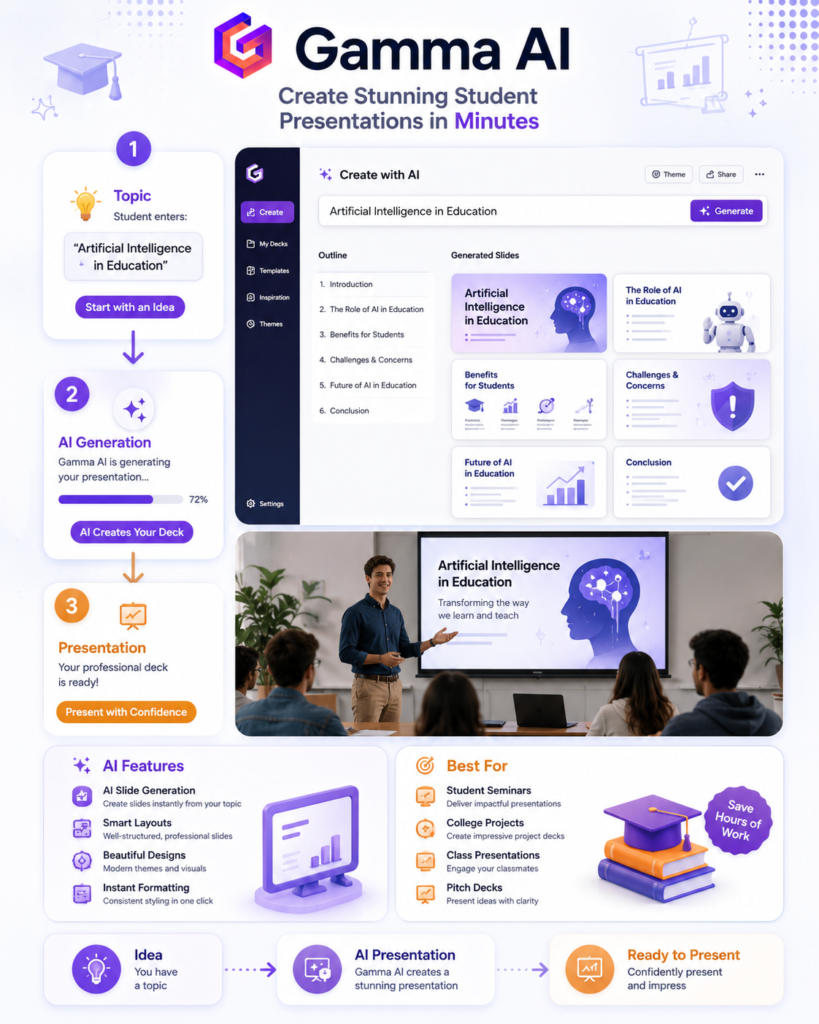
Gamma turns a prompt or outline into a polished, web-native slide deck faster than manually formatting slides. The free plan includes 400 lifetime AI credits, enough for roughly 30–40 decks, though exports carry a watermark until you upgrade to Plus (around $8–10/month). Pros: consistently rated for design quality among AI deck generators. Cons: lifetime credits, not a monthly refresh, so heavy users run out. Best for: seminar presentations and quick pitch decks.
Canva Magic Design leans on Canva’s enormous template library rather than pure AI generation, so the output looks polished, but the AI-written slide text is weaker than Gamma’s. The free tier watermarks premium templates; Pro costs around $12.99/month. Pros: useful if you already design posters or social posts in Canva. Cons: AI slide generation trails Gamma. Best for: visually heavy presentations and marketing-style projects.
Beautiful.ai produces clean, business-style decks with a workflow that drafts an outline before building slides. No permanent free plan exists, only a 14-day trial, after which Pro runs about $12/month. Best for: MBA students preparing polished case-study decks.
Best AI Study Tools
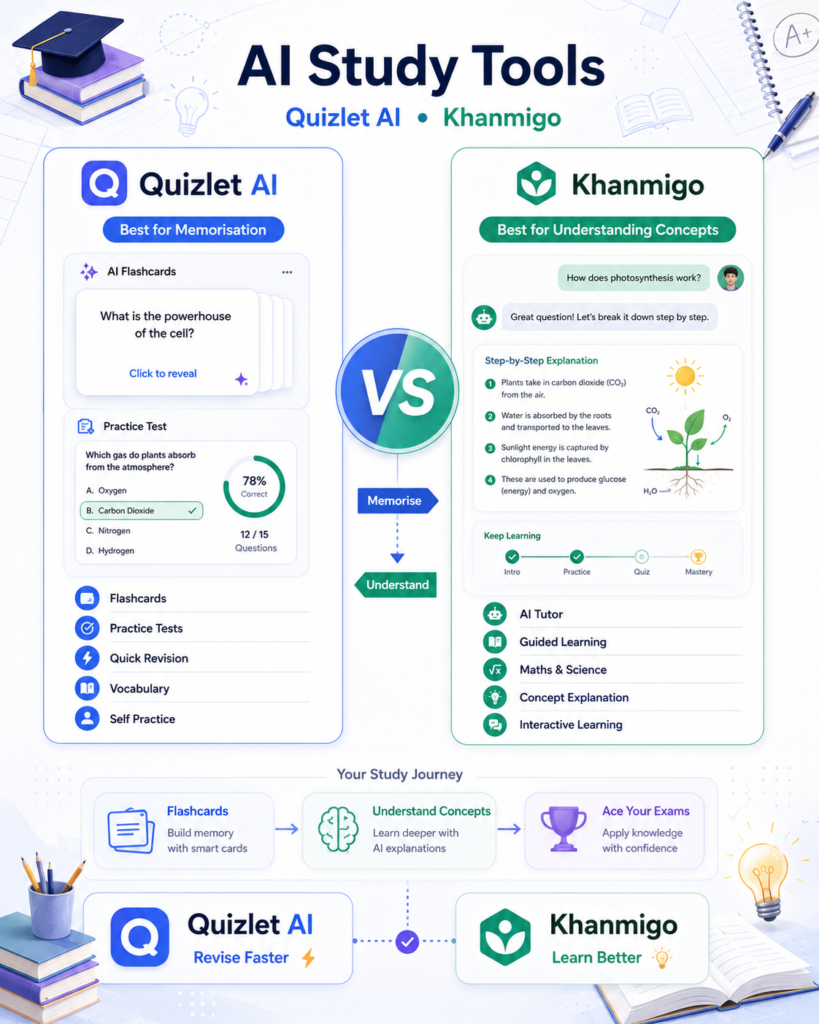
Quizlet AI remains the widest library of ready-made flashcards and practice sets across nearly every subject and exam. The free tier carries ads; Plus (around $7.99/month or $35.99/year) unlocks Q-Chat, an AI tutor, and Magic Notes for converting material into flashcards automatically. Pros: unmatched breadth of existing study sets. Cons: quality varies since content is crowdsourced. Best for: quick revision and vocabulary-heavy subjects.
StudyFetch builds an AI tutor, Spark.E, trained specifically on the course material you upload, rather than general knowledge. The free plan gives 10 chats and 2 uploads; Premium ($11.99/month) removes those limits and adds a Live Lecture Assistant. Pros: answers stay tied to your actual syllabus and slides. Cons: smaller free tier than most competitors. Best for: working through a specific, dense course textbook — many students feed in photographed textbook pages or whiteboard shots, where phone camera quality genuinely affects how usable the scan is; see our best camera phones in India picks if scanning is a regular part of your routine.
Khan Academy and Khanmigo round this out. Khan Academy’s entire K-12 and early college curriculum stays completely free, arguably the strongest free resource on this list. Khanmigo, its AI tutor that guides students Socratically rather than handing out answers, is free for teachers and costs about $4/month for individual or family use. Pros: genuinely free core content, responsible AI design that pushes understanding over shortcuts. Cons: strongest in maths and science, thinner in humanities. Best for: Class 11–12 students and competitive exam aspirants building fundamentals.
Head-to-Head Comparisons
ChatGPT vs Claude: ChatGPT wins on breadth — image generation, voice mode, a larger plugin ecosystem, and Deep Research. Claude tends to produce steadier, less repetitive long-form writing and handles large documents more comfortably in one go. Pick ChatGPT as a single do-everything tool; pick Claude for drafting or editing long written work.
NotebookLM vs Notion AI: NotebookLM is purpose-built for chatting with and summarising sources you upload. Notion AI is a workspace tool where AI now sits behind the pricier Business tier. For understanding your reading material, NotebookLM’s free tier is the stronger pick.
Perplexity vs Google Search: Google returns links you still have to sift through. Perplexity reads across those sources and gives a synthesised, cited answer directly — faster for a specific factual question, though Google remains better for browsing many results or shopping-style comparisons.
Gamma vs Canva: Gamma generates more original slide content from a prompt; Canva leans on its template and asset library. Choose Gamma for a genuinely AI-drafted deck, Canva if you already have brand assets to keep consistent.
Free vs Paid: What’s Actually Worth Paying For
Best completely free tools: NotebookLM (generous limits, source-grounded), Khan Academy’s core curriculum, Perplexity’s free search tier, and Grammarly’s basic checker cover a genuine amount of coursework without spending a rupee.
Premium tools worth paying for: Perplexity’s Education Pro at roughly ₹960/month; Gamma Plus if you regularly build presentations; and ChatGPT Plus or Claude Pro (both around ₹2,000/month) once AI writing becomes a daily habit.
Which AI Tool Should You Choose?
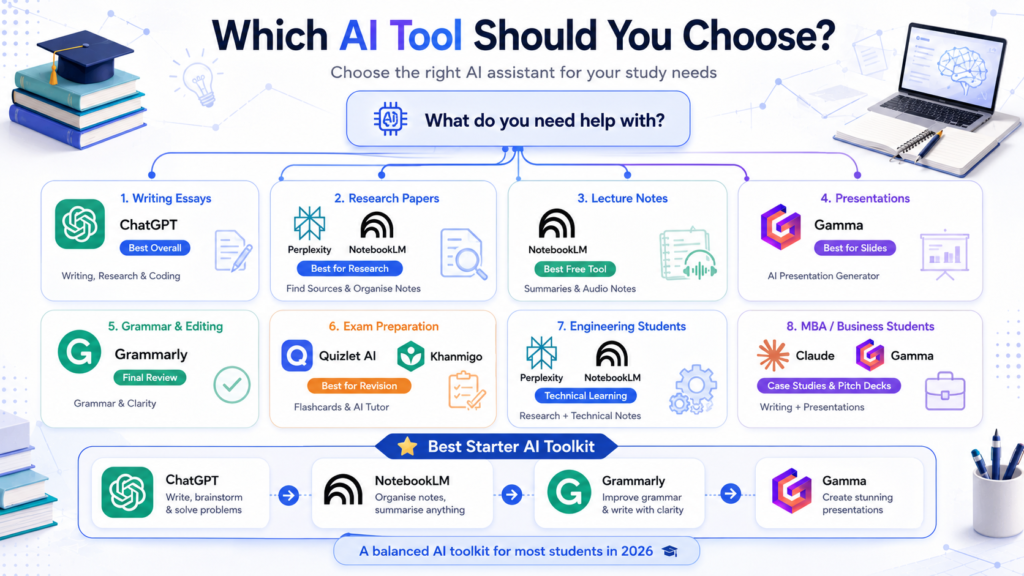
- Best overall: ChatGPT, for sheer breadth across writing, research, and quick coding help
- Best free: NotebookLM
- Best for research: Perplexity (quick answers) or Elicit (formal literature reviews)
- Best for presentations: Gamma
- Best for writing: Claude for drafting, Grammarly for polishing
- Best for note-taking: NotebookLM
- Best for exam preparation: Quizlet AI or Khanmigo
- Best for engineering students: Perplexity plus NotebookLM for technical papers — pair with our best AI laptops in India guide for hardware that handles both
- Best for MBA students: Claude or ChatGPT for case analysis, Gamma for pitch decks — see our best laptops for entrepreneurs under ₹50,000 if you’re running a venture alongside your degree
- Best for researchers and postgrads: Elicit and Consensus together
Using AI Responsibly as a Student
AI should assist your learning, not replace the thinking part of it. Verify facts an AI gives you, especially statistics, case law, or medical information, since good tools still state things confidently and incorrectly. Run a plagiarism check before submitting anything AI-assisted, and know your institution’s policy; many Indian universities now require disclosure of AI use. Never submit AI-generated work without reading and editing it yourself — you won’t learn the material otherwise. Be careful what you upload: avoid pasting personal ID numbers or sensitive documents into any free-tier tool, since data-handling policies vary and some free plans train on uploaded content.
External References
Pricing Sources
- OpenAI — ChatGPT pricing
- Anthropic — Claude pricing
- Perplexity — subscription plan comparison
- Microsoft — Microsoft 365 Copilot pricing for individuals
- Google — NotebookLM
Frequently Asked Questions
Which AI tool is best for students? There’s no single winner; ChatGPT covers the widest range of tasks, NotebookLM is the strongest free research tool, and Grammarly remains the standard for polishing drafts.
Is ChatGPT enough for college students? For most coursework, yes. Add NotebookLM for reading-heavy subjects and Grammarly for a final pass, and you’ve covered writing, research, and revision.
Are AI tools free? Many have solid free tiers — NotebookLM, Grammarly, Perplexity, Khan Academy — but advanced features generally sit behind a paid plan.
Can AI help with research papers? Yes, particularly for finding sources (Perplexity, Consensus) and organising literature (Elicit), but check AI-generated summaries against the original papers before citing them.
Which AI creates presentations? Gamma and Canva Magic Design both generate full decks from a prompt or outline; Gamma tends to produce more original slide content.
Is NotebookLM better than ChatGPT? For working with your own uploaded course material, yes, since its answers stay grounded in those sources. For general-purpose writing and open-ended questions, ChatGPT is more versatile.
Which AI tool helps prepare for exams? Quizlet AI for flashcards and quick quizzes, Khanmigo for concept-level tutoring, and StudyFetch if you want a tutor trained specifically on your own syllabus.
Can AI summarise PDFs? Yes; NotebookLM and Claude handle long documents well and can answer follow-up questions about the content.
Are AI-generated notes reliable? A good starting point but not infallible. Cross-check anything you’ll rely on for an exam against your actual textbook.
What is the safest AI tool for students? No AI tool is entirely risk-free with sensitive data. Stick to reputable platforms, read what each does with your uploads, and avoid sharing personal identification or financial information.
Conclusion
No single AI tool covers everything a student needs, and downloading ten apps rarely beats using two or three well. A workable starting stack: one writing and research assistant (ChatGPT or Claude), NotebookLM to turn readings into searchable content, and Grammarly for final polish. Add Gamma if presentations come up often, or Quizlet and Khanmigo near exam season. Pick based on what you’ll actually use weekly, not what looks impressive in a list.

Harry S is a digital marketing expert with 19+ years of experience. He created Reviews-4u.com to share simple, research-backed product insights that help users make better buying decisions.