
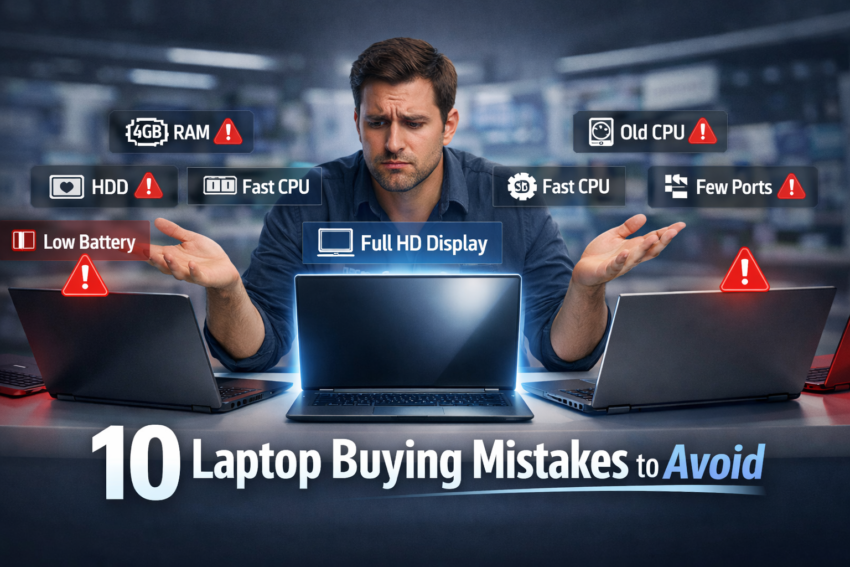
Buying a new laptop should feel exciting. Instead, for most people, it feels like trying to decode a foreign language, gigahertz, RAM, NVMe, and refresh rates. You walk into a store or scroll through listings and either grab the cheapest option or reach for a familiar brand name without really knowing if it’s right for you.
The result? Buyer’s remorse. A laptop that slows to a crawl within a year, can’t handle your workload, or dies before its time.
This guide covers the most common laptop buying mistakes people make and, more importantly, how to sidestep each one before you spend a single rupee.
Mistake #1: Not Knowing What You Actually Need It For
This is where nearly every bad purchase starts. People buy a laptop without clearly defining their use case, then complain it’s “too slow” or “overkill.”
A student writing essays and browsing the web has completely different needs from a video editor or a software developer. Before looking at any specs, ask yourself: what will I actually use this for, every single day?
How to avoid it: Write down your top three uses. Web browsing and documents? A budget Chromebook or mid-range laptop is plenty. Photo/video editing? You’ll need dedicated GPU power and more RAM. Gaming? That’s a whole different category altogether.
Mistake #2: Treating RAM Like It Doesn’t Matter
RAM is probably the single most misunderstood spec among casual buyers. Many people end up with 4GB because the laptop looked good and was cheap — and then wonder why it freezes every time they open three tabs.
In 2026, 4GB of RAM is genuinely not enough for comfortable everyday use. Windows alone eats a significant chunk of it before you’ve even opened a browser.
How to avoid it: Aim for a minimum of 8GB for light use, 16GB if you multitask, run creative software, or just want the machine to stay snappy for years. Also, check whether the RAM is soldered (fixed) or upgradeable on many budget laptops; it’s soldered, meaning you’re stuck with what you buy.
Mistake #3: Confusing Storage Size with Storage Speed
“It has 1TB of storage!” Yes, but is it an SSD or an HDD?
A lot of budget laptops still ship with traditional hard disk drives (HDD) to hit a high storage number at a low price. An SSD (Solid State Drive) is dramatically faster for everyday tasks like booting up, opening apps, and loading files. An HDD, by comparison, feels sluggish and loud.
How to avoid it: Prioritise SSD over raw capacity. A 256GB SSD will feel much faster than a 1TB HDD. If you genuinely need more space, external drives or cloud storage are affordable solutions.
Mistake #4: Buying Based on Brand Name Alone
“It’s a Dell/HP/Apple, it must be good.” Not necessarily.
Every major brand has both excellent and mediocre products at different price points. A premium brand name doesn’t guarantee a great laptop; it often just guarantees you’ll pay a premium price. Buying blind based on loyalty or reputation without checking the specific model’s reviews is a common and expensive mistake.
How to avoid it: Research the specific model, not just the brand. Read hands-on reviews, check comparison articles, and look at user feedback after 6–12 months of ownership. Sites like Reviews-4U offer detailed laptop comparisons to help you look beyond the logo.
Mistake #5: Ignoring Battery Life Specs
The laptop says “up to 12 hours of battery life.” So you buy it, start using it, and get five hours on a good day.
Manufacturer battery claims are almost always tested under ideal, minimal-load conditions, often just playing a video on low brightness. Real-world use involving web browsing, video calls, and productivity apps will always be lower.
How to avoid it: Look for independent battery tests from tech reviewers rather than relying solely on manufacturer claims. A laptop with an 8-hour real-world score is more useful than one that claims 15 hours but never delivers.
Mistake #6: Overlooking the Display
Specs look great on paper, but you’re going to stare at this screen every day. Yet display quality is one of the most overlooked aspects when purchasing a laptop.
Brightness matters if you work outdoors or near windows. Panel type affects colour accuracy. IPS panels are generally better than TN for visuals. Resolution matters for clarity. A cheap, dim, washed-out display makes using a laptop genuinely unpleasant, no matter how powerful the processor is.
How to avoid it: If possible, see the display in person before buying. Look for at least 250–300 nits of brightness, an IPS panel, and Full HD (1080p) resolution as a baseline.
Mistake #7: Skipping the Processor Research
The CPU is the brain of your laptop, and it has a surprisingly large impact on day-to-day speed. Many buyers either ignore it entirely or fall for outdated model numbers that sound impressive but aren’t.
For example, an Intel Core i5 from 2019 performs very differently from one released in 2024. Similarly, AMD Ryzen chips now rival and sometimes outperform Intel equivalents at the same price.
How to avoid it: Check the specific processor generation, not just the series name. Websites like Notebookcheck or even a quick search for benchmark comparisons will tell you exactly how a chip performs in real tasks.
Mistake #8: Not Checking Port Availability
You get your new laptop home. You try to plug in your monitor, your USB drive, and your SD card. You have two USB-C ports and nothing else.
As laptops get thinner, ports are often the first casualty. Losing ports you rely on every day creates frustration — and forces you to spend extra on docks or adapters.
How to avoid it: Before buying, list every device you plug in regularly. Then check the laptop’s port lineup. If you use USB-A drives, HDMI displays, or SD cards regularly, make sure the laptop has them — or factor in the cost of a dock.
Mistake #9: Buying More Than You Need (or Less)
Both ends of this mistake are common.
Some buyers overspend on a top-tier gaming laptop for “future-proofing” when they mostly watch Netflix and use spreadsheets. Others go so budget that the laptop struggles to handle basic tasks within two years.
How to avoid it: Match your purchase to your real needs, not aspirations. If you’re buying for a specific use case, look for recommendations in that category. Reviews-4U covers laptops across different budgets and use cases — it’s worth reading a few comparisons before deciding where to spend.
Mistake #10: Forgetting About After-Sales Support and Warranty
This one only becomes obvious after something goes wrong. A laptop that breaks six months in, from a brand with poor local service support, becomes a paperweight.
How to avoid it: Check the warranty length (one year is standard; two or three years is better). More importantly, check whether the brand has service centres in your city or country. A great laptop from a brand with no local service presence is a risky buy.
Have you already make up you mind to buy MacBook? Check out our latest blog about choosing the right MacBook between Pro / Air / Neo.
A Few Quick Tips Before You Buy
Before finalising any laptop purchase, run through this short checklist:
- Minimum 8GB RAM (16GB preferred)
- SSD storage (256GB minimum)
- Full HD IPS display
- Real-world battery life reviewed independently
- Ports that match your current setup
- Warranty terms and local service availability
Final Thoughts
Most laptop buying mistakes don’t come from carelessness; they come from not knowing what to look for. Flashy marketing, high storage numbers, and trusted brand names all pull attention away from the specs that actually determine whether you’ll be happy with your purchase a year from now.
Take the time to match the laptop to your life, not the other way around. And if you’re still unsure which specific model is right for you, exploring detailed reviews and comparisons on Reviews-4U can help you narrow it down with confidence before you commit.

Harry S is a digital marketing expert with 19+ years of experience. He created Reviews-4u.com to share simple, research-backed product insights that help users make better buying decisions.